 By Muhammad Bilal
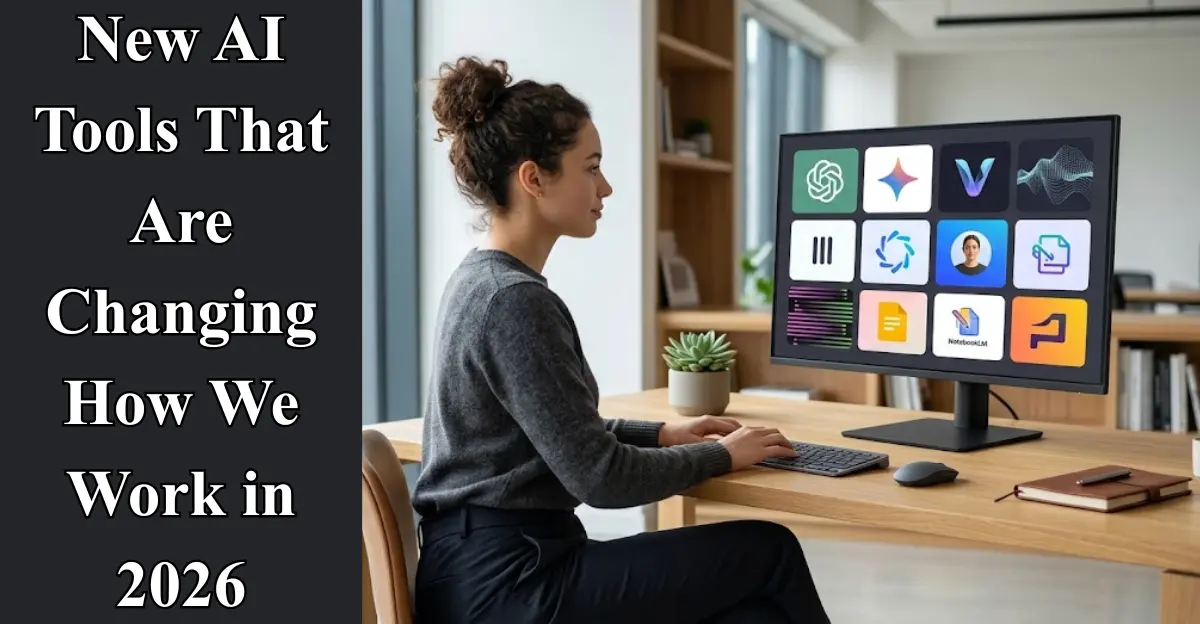
Artificial intelligence is transforming the modern workplace in 2026 helping businesses automate tasks, streamline workflows and make smarter decisions. From AI-powered coding assistants to intelligent research tools and workflow automation platforms new AI tools are changing how professionals work every day. These innovations save time improve productivity and simplify complex tasks across industries. As AI technology continues to evolve, choosing the right tools can give individuals and businesses a competitive edge. Explore 10 powerful AI tools that are reshaping how we work in 2026.
Table of Contents
10 Best AI Tools to Boost Productivity in 2026

Explore these 10 best AI tools and discover the features that fit your needs and start boosting your productivity with AI-powered solutions today.
1. ChatGPT
ChatGPT is a versatile AI tool in 2026 supporting professionals with research, content creation, data analysis and everyday problem-solving. Models such as GPT-5 o3 and o3-pro help users explore complex questions, understand technical concepts and make informed decisions. Businesses can also analyze Excel spreadsheets, review supply chain data and improve workflow optimization to increase productivity and simplify daily tasks.
Beyond research and data analysis ChatGPT supports software development, business operations and team collaboration. Its multimodal AI capabilities allow users to work with text, images and audio while coding tools help generate documentation, identify errors and explore technical solutions. Subscription options including the free tier Plus and Pro offer different features to suit users’ professional needs and budgets.
Features
- ChatGPT can process text, images and audio helping users understand information and work with different types of content in one place.
- Its large context window helps professionals analyze lengthy documents, books and codebases while maintaining relevant information throughout a task.
- Coding support helps tech professionals write and review code fix errors refactor existing projects and create clear technical documentation.
- Data analysis features including Python and code execution where available help users examine datasets create visualizations and support forecasting.
- Multilingual capabilities support communication across 50+ languages helping global teams with translation, localization and everyday collaboration.
Uses
- Businesses can use ChatGPT for workflow automation, drafting reports, summarizing documents and handling repetitive administrative tasks.
- Software teams can generate AI-generated code, review existing programs and assist with debugging to make development more efficient.
- IT teams can use ChatGPT to explore technical issues with support troubleshooting, explain errors and plan API integration with relevant services.
- Professionals can apply ChatGPT to tasks such as invoice information extraction, customer support, research and internal knowledge management with human review for important decisions.
- Individuals and businesses can compare the free tier, Plus and Pro based on available models, reasoning capabilities, features and pricing to select an option that fits their needs.
2. Gemini
Gemini is Google’s AI assistant designed to help individuals and businesses improve productivity, manage information and simplify everyday workflows. It works with Google services such as Chrome, Gmail, Docs and Sheets to summarize emails, draft documents and analyze data. Its large 1M-token context window supports extensive documents and codebases making it useful for research and complex technical tasks.
Gemini 3.1 Pro offers advanced capabilities for developers and organizations working with coding, research and business operations. Its reasoning abilities support complex technical tasks while integrations with tools such as GitHub help teams review code and understand documentation. By combining AI assistance with familiar workplace applications, Gemini helps professionals reduce repetitive work and manage projects more efficiently.
Features
- Deep Research helps users investigate complex topics, gather relevant information and organize findings into structured reports that support informed decisions.
- Gemini CLI provides developers with an AI-assisted command-line workflow for coding tasks, working with shell scripts and supporting development processes such as CI/CD.
- Agentic Vision helps Gemini interpret visual information making it useful for examining images, understanding hardware diagrams and supporting visual troubleshooting.
- Coding assistance and code execution where supported help developers test ideas, investigate errors and work more efficiently with technical projects.
- Gemini can support the creation of infographics, summaries and presentations while its integration with Workspace helps teams manage documents and collaborate across everyday business tasks.
Uses
- Tech teams can use Gemini for coding, code reviews, technical research and browser automation helping streamline routine development and information-gathering tasks.
- Google Antigravity provides an AI-focused development environment where developers can work with an IDE and explore AI-assisted coding workflows.
- Businesses can use Gemini Enterprise to support internal research, information retrieval and customer-facing processes with chat and voice experiences depending on the available setup.
- Teams can explore Gemini for customer experience content creation and backend workflows, selecting tools that match their technical requirements and organizational needs.
- Users can compare the Free Tier, Google AI Pro and Google AI Ultra according to available models with storage Deep Think video generation features and pricing to find an option that fits their productivity goals.
3. Veo
Veo is an AI video model designed to simplify video creation for businesses, marketers and creative professionals. It transforms natural language commands into video content helping users produce cinematic advertisements, product demonstrations and visual concepts. Its video generation capabilities support immersive video production allowing teams to explore creative ideas without relying entirely on traditional filming. In 2026, Veo offers a flexible approach to modern video production.
Video generation and editing capabilities make Veo useful for businesses developing promotional content, visual prototypes and creative projects. Depending on the model and available tools, users can generate high-quality footage, refine scenes and experiment with different visual styles. These features help marketing teams and product developers test concepts before investing in full production. By reducing manual work during the early creative stages, Veo helps make content development more efficient.
Features
Veo can generate videos from text prompts allowing users to describe scenes, actions and visual styles in natural language.
- Supported video generation options may include high-resolution output including 4K video where available helping creators develop detailed visuals for professional projects.
- Video editing capabilities in supported tools can include scene adjustments, object removal and style changes, giving creators more control over the final result.
- Developers can explore API access and integrations through platforms such as Kie.ai, depending on model availability, to connect video generation with existing workflows.
- Rapid video generation helps teams test creative ideas, create quick prototypes and explore ways to reduce production time and costs.
Uses
- Marketing teams can use Veo for cinematic ads and promotional videos that communicate product benefits through engaging visual storytelling.
- Product developers can create virtual prototypes to demonstrate concepts and explore product ideas before physical production begins.
- Businesses can produce demo videos and stakeholder presentations to explain new services, illustrate product features and communicate project proposals.
- In-house advertising teams can develop visual content for campaigns helping them test different creative directions without arranging a full filming setup for every concept.
- When integrated into broader AI workflows, Veo can support AI agents and multi-step creative processes helping teams coordinate video generation with planning, content development and review.
4. Claude
Claude developed by Anthropic is an AI assistant designed for sustained reasoning, intricate tasks and professional productivity. It helps users prepare comprehensive reports, analyze complex information and work with large codebases. Developers can use Claude to understand existing systems, restructure code and solve technical problems. These capabilities make it a valuable tool for businesses seeking to improve productivity and manage demanding workflows in 2026.
Claude Code extends these capabilities into software development by helping programmers work with terminals, shell commands and testing processes. Its 200K context window supports analysis of lengthy documents and code while the Model Context Protocol (MCP) connects Claude with compatible tools, databases and APIs. Features supporting workflow automation and agent orchestration help teams streamline technical tasks, develop prototypes and coordinate complex projects.
Features
- Claude’s 200K context window allows users to analyze lengthy reports, documents and codebases while maintaining relevant context for complex tasks.
- The Model Context Protocol (MCP) connects Claude with compatible tools such as Notion, databases and APIs supporting more integrated workflows.
- Claude Code helps developers work with terminal commands, modify code, run tests and automate repetitive software development tasks.
- Claude supports workflow automation and agent orchestration helping teams coordinate multi-step tasks and connect different tools according to their needs.
- Its coding and reasoning capabilities support rapid prototyping, debugging and coding automation. Productivity improvements vary depending on the task, project and implementation.
Uses
- Technical support teams can use Claude to summarize support requests assist with ticket triage and organize incidents according to their urgency.
- DevOps professionals can analyze alerts, review runbooks, investigate deployment problems and support network management workflows.
- Developers can use Claude for bug fixing, dependency tracing, code reviews and troubleshooting to identify problems more systematically.
- Businesses can explore AI agents and multi-agent systems to coordinate complex tasks, maintain context and support collaboration across technical operations.
- Users can compare Claude Pro and Claude Max subscription pricing based on their workloads while API users can monitor token usage and costs to select a suitable option.
5. Grok
Grok developed by xAI is an AI assistant known for accessing real-time information from X (formerly Twitter) and the web. It helps users explore breaking news, trending topics, public posts and social sentiment to gain timely insights. By combining web searches with social data, Grok can support research, market analysis and information monitoring. These capabilities make it useful for professionals who need to follow rapidly changing online discussions.
Grok’s reasoning and research tools support tasks involving mathematics, logical problem-solving and detailed web research. Features such as Think mode and Deep Search help users examine complex questions and prepare informative reports while Aurora supports image generation. Depending on the model and plan, Grok also offers advanced context handling and emerging multi-agent capabilities helping developers and businesses explore automation and more efficient workflows.
Features
- Think mode supports reasoning mathematics, coding and logical problem-solving helping users work through challenging questions.
- Deep Search explores relevant web sources to gather information, investigate topics and prepare detailed research summaries.
- Real-time access to information from X and the web helps users follow breaking news, trending discussions and changing market sentiment.
- Aurora enables AI image generation while supported video-generation tools and APIs provide additional options for creating visual content.
- Grok offers developer API access with model-dependent pricing, context limits and capabilities. Features such as multi-agent AI and automation vary by model and availability.
Uses
- Businesses can use Grok to monitor public discussions about products, identify emerging trends and analyze customer sentiment using accessible online information.
- Technical support teams can apply Grok to troubleshooting, software bug analysis and researching potential patches or solutions to technical issues.
- DevOps teams can use AI assistance to investigate outages, review technical information and support real-time monitoring workflows alongside existing monitoring systems.
- Developers can analyze technical manuals, support logs and codebases with larger-context models helping process extensive technical information when supported.
- Organizations can evaluate X Premium subscriptions and Grok API options based on available features, usage limits, image and video generation needs and token costs.
6. NotebookLM
NotebookLM developed by Google is an AI-powered research assistant that helps users understand and organize information from their own documents. Unlike general AI assistants such as ChatGPT and Gemini it focuses on user-provided sources to generate source-grounded answers, summaries and insights. Its Retrieval-Augmented Generation (RAG) approach helps connect responses to supplied materials making it useful for document understanding, technical research and reducing unsupported answers.
Source-based research tools allow NotebookLM to transform technical manuals, PDFs, Google Docs and other materials into more accessible formats. Its Studio panel can help users create mind maps with slide presentations, audio overviews and research briefs depending on available features. Citations also help readers verify information against original sources. These capabilities support knowledge sharing, technical documentation and research workflows for individuals and organizations.
Features
- NotebookLM organizes user-provided documents and generates answers with source citations helping users check information and verify important details.
- Its Studio panel can turn research materials into mind maps with audio overviews, slide presentations and other useful summaries.
- Technical teams can use it to examine technical manuals, API documentation and error logs making complex information easier to understand.
- Source limits and available features depend on the subscription plan allowing users to choose between free access and eligible paid or enterprise options.
- NotebookLM helps create research briefs, extract relevant quotations and statistics and identify connections across documents although important findings still require verification.
Uses
- Technical teams can organize PDFs, Google Docs and transcripts into searchable knowledge resources for documentation and internal research.
- IT administrators can use source-grounded answers to help investigate user queries, explain system architecture and understand network management documentation.
- Businesses can create shared knowledge hubs that help employees find relevant information without repeatedly reviewing lengthy documents.
- Organizations can evaluate enterprise security features, administrative controls and data-handling policies to determine whether NotebookLM meets their privacy requirements.
- Teams can compare available plans based on notebook and source limits, collaboration needs and enterprise controls such as access management and audit capabilities where offered.
7. ElevenLabs
ElevenLabs is an AI voice platform that helps businesses create natural-sounding speech and build conversational AI experiences. Its tools support voice generation, speech recognition and automated customer interactions making it useful for customer support and communication workflows. Through ElevenAgents organizations can develop voice-based assistants that respond to questions, follow instructions and help resolve routine support requests across different communication channels.
Conversational AI and telephony integrations allow ElevenLabs to connect voice assistants with business systems and customer service platforms. Compatible integrations may include Twilio, Genesys, SIP and PBX environments, depending on the deployment. Features such as knowledge retrieval, workflow automation and human handoff help teams manage customer inquiries more efficiently. With multilingual voice capabilities businesses can also provide more accessible support across different languages and regions.
Features
- Retrieval-Augmented Generation (RAG) helps voice assistants retrieve relevant information from documentation, FAQs and technical guides when responding to user questions.
- Expressive voice capabilities support more natural speech and varied emotional tones helping conversations sound less robotic.
- Speech recognition and synthesis allow users to communicate through spoken language while AI assistants interpret requests and generate voice responses.
- Workflow automation helps assistants follow instructions, perform supported tasks and connect with CRM and ticketing systems.
- Multilingual voice capabilities support customer communication in numerous languages while human handoff allows complex or sensitive requests to be transferred to staff.
Uses
- Customer support teams can automate routine inquiries, provide product information and assist with ticket resolution while escalating complex cases to human agents.
- Telecom companies can use voice assistants to answer service questions explain connectivity problems and guide customers through basic troubleshooting.
- IT support teams can connect conversational AI with internal documentation to help employees find technical instructions and resolve common issues.
- Businesses can integrate voice agents with telephony systems such as Twilio and Genesys to support incoming calls and streamline communication workflows.
- Organizations can compare available plans and usage-based pricing according to voice minutes, integrations and expected demand ensuring that deployment costs match their requirements.
8. Synthesia
Synthesia is an AI video platform designed to help businesses create professional videos using digital avatars and text-based scripts. It supports workplace training, employee onboarding, product demonstrations and customer education without requiring a traditional filming setup. By turning written information into narrated video content, Synthesia helps organizations communicate complex ideas and produce training materials more efficiently.
Synthesia 3.0 expands the platform’s focus on interactive video experiences and AI-powered content creation. Features such as expressive avatars, screen recording and AI dubbing help teams develop tutorials and multilingual presentations. Support for multiple languages and lip-syncing also makes it easier to adapt content for international audiences. These capabilities help businesses streamline video production and maintain consistent learning materials across teams.
Features
- Express-2 Avatars support realistic digital presenters with natural-looking gestures and expressions helping make business videos more engaging.
- The AI Screen Recorder and browser-based tools help users capture software demonstrations and turn technical instructions into narrated video tutorials.
- AI dubbing and multilingual voice capabilities help adapt videos for international audiences with supported languages and lip-syncing options depending on the feature.
- Document-to-video workflows allow teams to transform written materials including supported PDFs and scripts into structured learning content.
- Available integrations and AI video tools can help creators combine avatar presentations with visual assets making content production more flexible.
Uses
- Companies can create employee onboarding videos that explain internal systems, workplace procedures and essential technical workflows.
- Learning and development teams can produce eLearning and compliance training materials helping employees access consistent instructions across departments.
- Global businesses can localize training and customer education videos for different markets using multilingual narration and dubbing.
- Technical teams can create software tutorials, troubleshooting guides and product demonstrations that help users understand applications and services.
- Organizations can compare the Free, Starter, Creator and Enterprise plans according to video limits, collaboration tools, security controls and integrations with learning management systems (LMS) or single sign-on (SSO), where available.
9. Zapier
Zapier is an automation platform that connects thousands of applications to simplify repetitive business tasks. It allows teams to build workflows between tools such as Slack, Microsoft Teams, HubSpot and Notion without extensive coding. By connecting applications and automating data transfers Zapier helps businesses reduce manual work, improve consistency and coordinate everyday operations across different systems.
Zapier Copilot and AI Agents extend these capabilities by helping users design workflows and automate selected tasks through natural-language instructions. Businesses can build multi-step automations and organize information using tools such as data tables and chatbots. Security features and workflow controls can help teams manage automated processes more responsibly. These capabilities make Zapier useful for organizations exploring AI orchestration and broader workflow integration.
Features
- Zapier Copilot helps users design and configure automations using plain-English instructions making workflow creation more accessible.
- Zapier Agents can carry out selected tasks across connected applications, supporting research, information gathering and routine business processes.
- Multi-step workflows connect different services to transfer information, update records, send notifications and coordinate actions automatically.
- AI guardrails and related controls can help manage risks involving sensitive information, inappropriate content and prompt injection, depending on the workflow.
- Troubleshooting tools and execution histories help users identify failed steps, investigate errors and improve the reliability of automated processes.
Uses
- Support teams can automate ticket triage by routing requests, updating records and notifying the appropriate staff through connected systems.
- Businesses can connect Slack or Microsoft Teams with internal documentation tools to share relevant information and improve team coordination.
- IT departments can automate routine administrative tasks, monitor workflow failures and coordinate requests while retaining human oversight for important decisions.
- Finance and operations teams can build approval workflows that require authorization before processing sensitive transactions or sending external communications.
- Organizations can compare available plans including Professional and Enterprise options according to task volumes with application integrations, security requirements and workflow complexity.
10. Granola
Granola is an AI-powered meeting assistant designed to turn conversations into useful notes and searchable institutional knowledge. Available for supported desktop environments it helps users capture meeting context and create structured summaries without relying entirely on manual note-taking. By organizing discussions, decisions and action items, Granola helps professionals retain important information and improve follow-up across projects.
Enhance Notes and Meeting Recipes help users organize meeting information into formats suited to different needs. Features such as shared Spaces and cross-meeting search make it easier to revisit earlier discussions and find relevant context. Granola also supports connections with compatible AI tools and business applications depending on available integrations. These capabilities help teams transform individual meeting notes into a more useful resource for collaboration and decision-making.
Features
- Enhance Notes turns meeting information into clearer, structured notes that help users review important points and action items.
- Meeting Recipes provide reusable templates for organizing different types of conversations, such as project reviews, interviews and planning sessions.
- Spaces help teams group and share relevant meeting notes, supporting collaboration and easier access to project information.
- Cross-Meeting Search allows users to search their meeting history and locate relevant discussions, decisions and information using natural-language queries.
- Compatible integrations and Model Context Protocol (MCP) support can help connect meeting knowledge with selected AI assistants and external tools, depending on availability and permissions.
Uses
- Software teams can review meeting notes to track technical decisions, document requirements and clarify responsibilities across development projects.
- Project managers can search previous discussions to recover decisions, follow up on action items and maintain continuity between meetings.
- Businesses can organize meeting knowledge into shared workspaces making useful context easier for authorized team members to find.
- Professionals can connect supported workflows with tools such as Slack, Notion, HubSpot and Zapier to improve information sharing and task coordination.
- Organizations can compare available plans and enterprise features based on collaboration needs, security requirements and access to integrations or API capabilities.
Conclusion
The rise of AI tools in 2026 is creating new opportunities for professionals and businesses to work more efficiently and adapt to changing demands. From content creation and research to voice automation and workflow management each tool offers unique ways to solve everyday challenges. However getting the best results depends on choosing solutions that match your goals, budget and existing systems. Human creativity with critical thinking and oversight remain essential for ensuring accuracy and making informed decisions. Rather than adopting every new technology focus on tools that deliver practical value and simplify your workload. Start with one or two solutions, explore their capabilities and expand as your needs grow. The future of work belongs to those who combine the power of AI with human expertise.
1. What makes the latest AI tools different from older productivity software in 2026?
Modern AI tools can understand natural-language instructions, generate content, analyze information and automate multi-step tasks. Unlike traditional software many can adapt their responses to context and help users complete complex workflows more efficiently.
2. Which AI tools are worth trying first for everyday work?
ChatGPT and Gemini are useful for writing, brainstorming, research and problem-solving while NotebookLM helps organize information from documents. The best starting point depends on your daily tasks, budget and preferred workflow.
3. Can AI tools handle repetitive office tasks without constant supervision?
Many AI tools can automate tasks such as scheduling, data entry, email organization and workflow updates. However, they may still make mistakes so important actions should include human review and appropriate approval controls.
4. How are AI-powered tools changing the way technical teams work?
AI coding assistants, research platforms and automation tools help developers troubleshoot issues, understand documentation and reduce repetitive work. These tools can accelerate development but technical teams should verify generated code and security recommendations.
5. Are advanced AI tools useful for small businesses with limited budgets?
Yes, many AI platforms offer free tiers or affordable plans that help small businesses create content, support customers and automate routine operations. Comparing usage limits, essential features and subscription costs can help businesses choose suitable solutions.
6. Can AI tools communicate with the software businesses already use?
Many AI platforms integrate with applications such as Slack, Microsoft Teams, Google Workspace and customer relationship management systems. Available integrations vary by tool and subscription so businesses should check compatibility before adopting a solution.
7. What risks should companies consider before adopting new AI tools?
Businesses should evaluate data privacy, security, accuracy, copyright considerations and compliance requirements before using AI tools. Clear usage policies, access controls and human oversight can help reduce potential risks.